
Templates can save time and effort, and offer letter templates are created and used for expediting the hiring process.
Templates can be created by the Add Template link on the navigation tab, and it contains two main sections:
Name the Template
- Enter Name for This Template
- Share This Offer Letter Template option
General Information
- Manager Name
- Basic Salary
- Housing Allowance
- Transport Allowance
- Other
- Total Salary
- Content
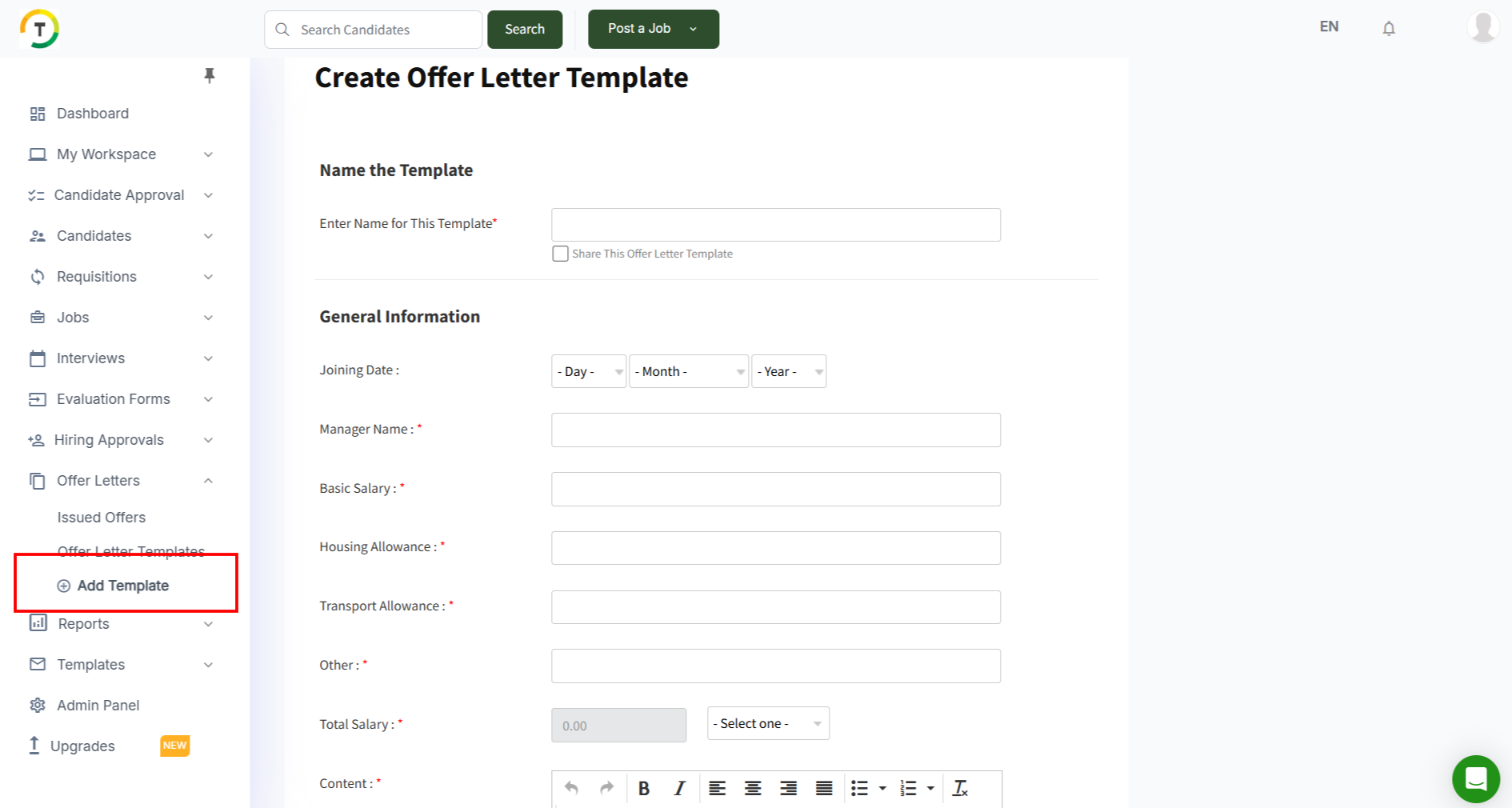
Click on Save Offer Letter Template in order to continue.

Offer Letter Templates
All created and shared templates are listed on the Offer Letter Templates page.
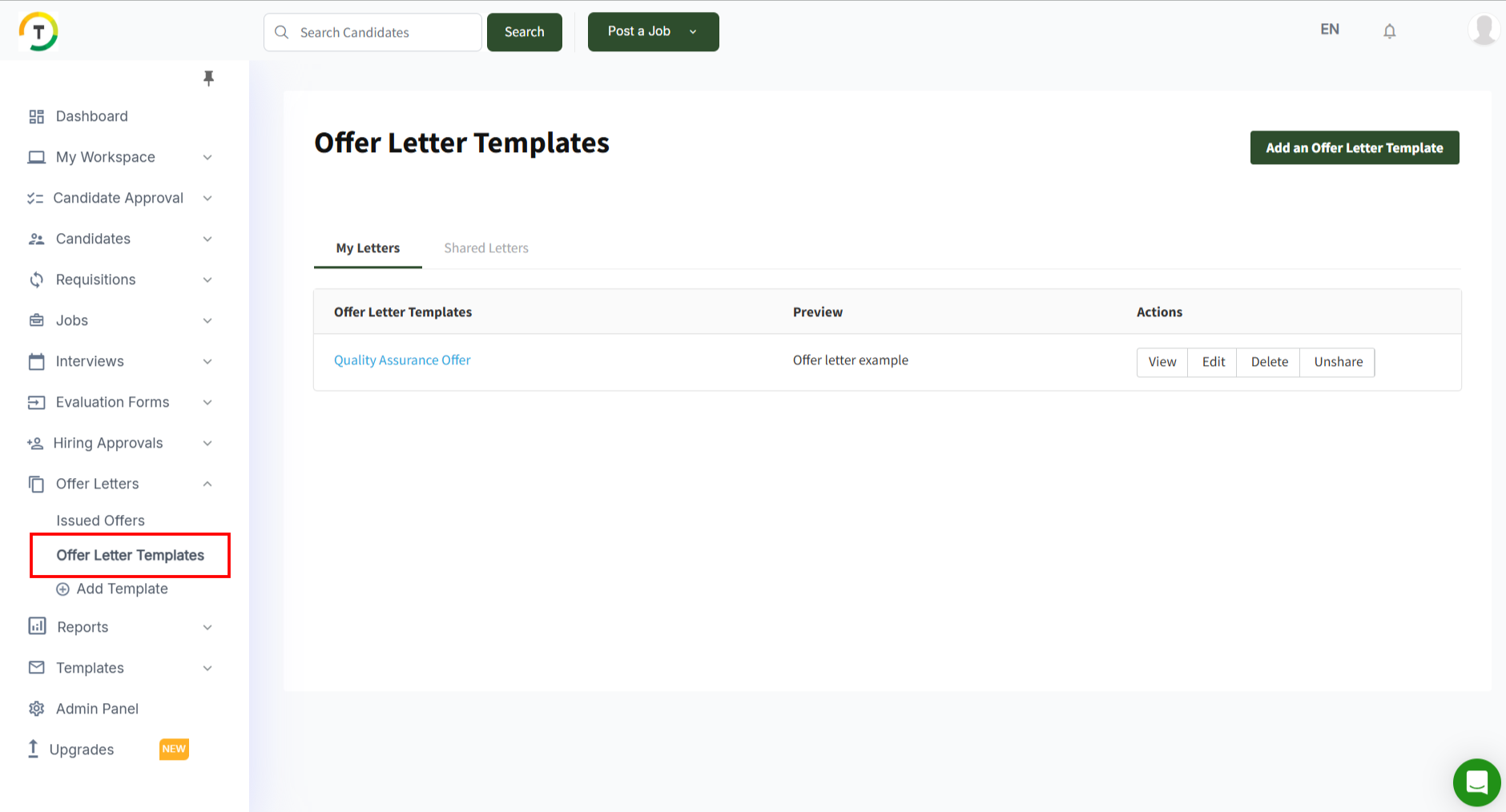
There are two main tabs on this page:
My Letters
This page displays the templates created by the logged-in user.
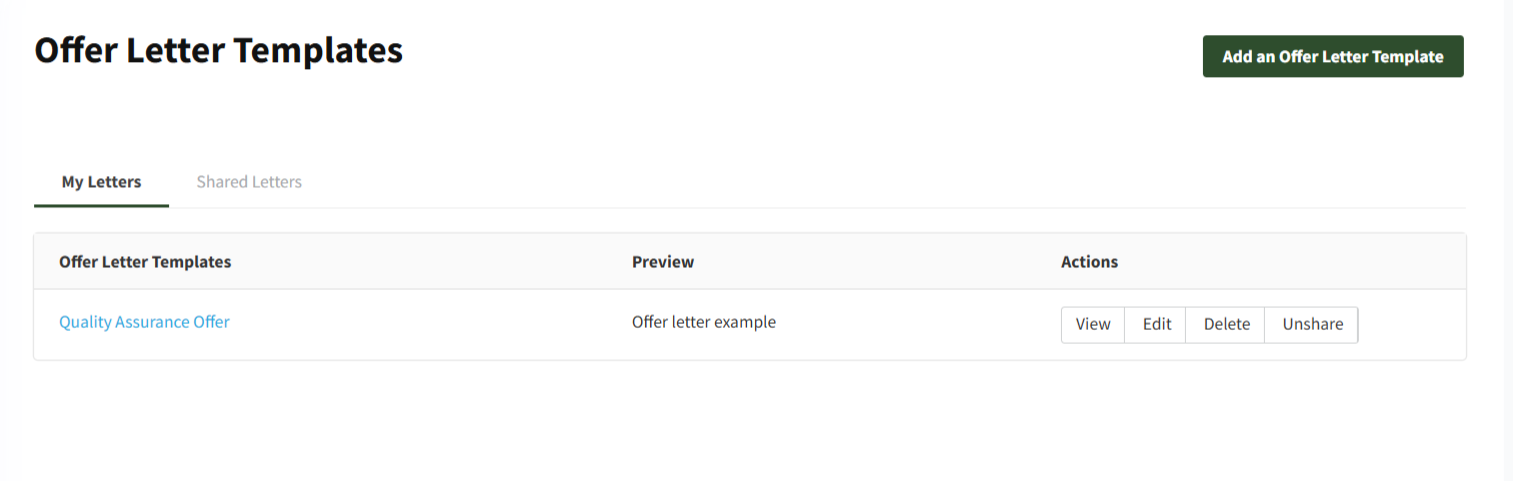
You can perform the below actions on the created templates:
- View
- Edit
- Delete
- Share/Unshare

The created templates will appear when creating an offer letter, and the user can select the desired template.

Shared Letters
This page displays all shared templates created by other employees.
