Creating an account
If you are a new user, enter the career portal URL and click on the “Sign Up”.
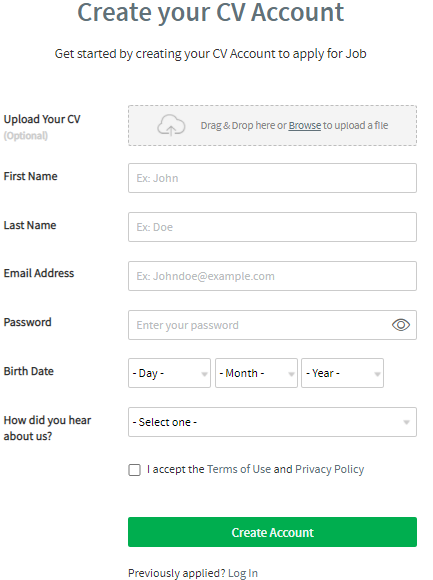
The registration page will be opened, and you must provide all required information in the profile as follows:
- Upload Your CV (Optional)- This option will allow you to upload your CV and extract all details. (Word, PDF)
- First Name
- Last Name
- Email Address
- Password
- Birthdate
- How did you hear about us
- Accept terms and conditions
The email address is your unique identifier on the career portal.
Upload a CV from file
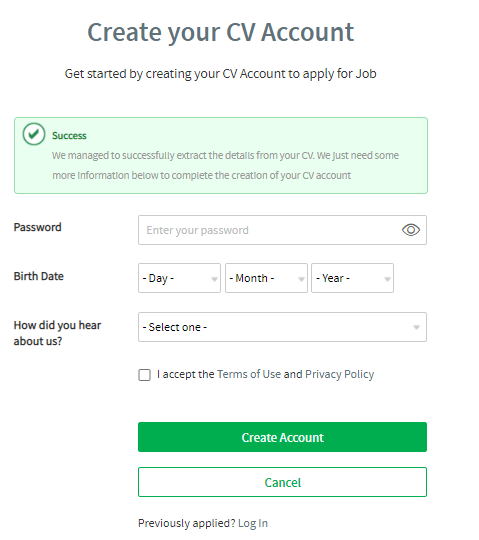
Once the CV is uploaded (Word, PDF), all relevant fields will be extracted from the uploaded file and filled in into the registration form. You just need to fill in the remaining fields as below:
- Password
- Birthdate
- How did you hear about us
- Accept terms and conditions
Then proceed by clicking on the Create Account button.
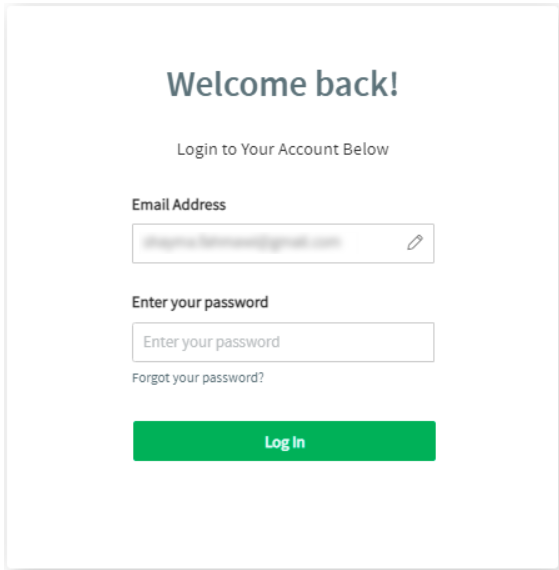
In case you have been registered already into the career portal, you will be redirected to the Login page when parsing the CV.
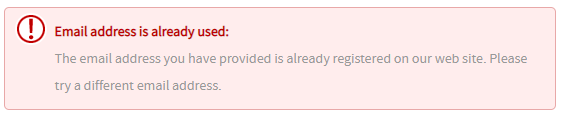
And if you fill the registration form manually, you will get this error message.
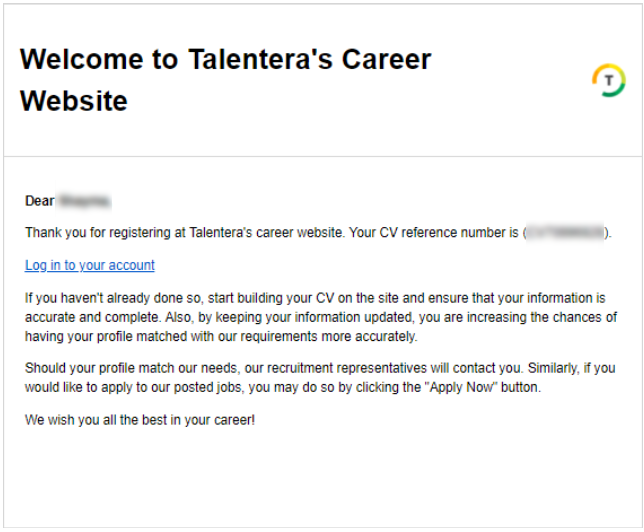
A registration confirmation email and a welcome email will be sent to your mailbox once successfully registered.
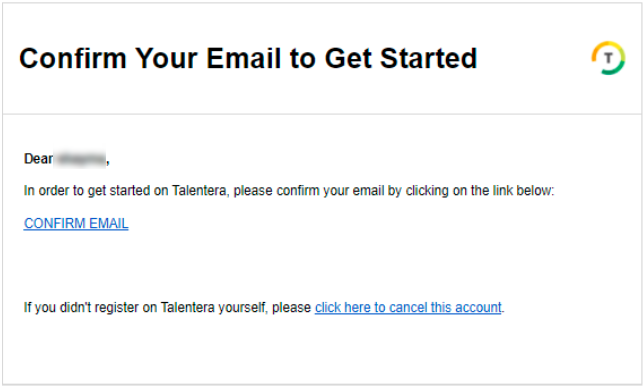
Confirm your email address to proceed with the registration. Here, you have the option to resend it.

After you register, you can build your CV using one of the following:
- Upload your CV from the file - Using this option, all applicable details will be extracted from the uploaded file.
- I will fill my CV - Using this option, you can build your CV from scratch, completing your profile step-by-step as you go.
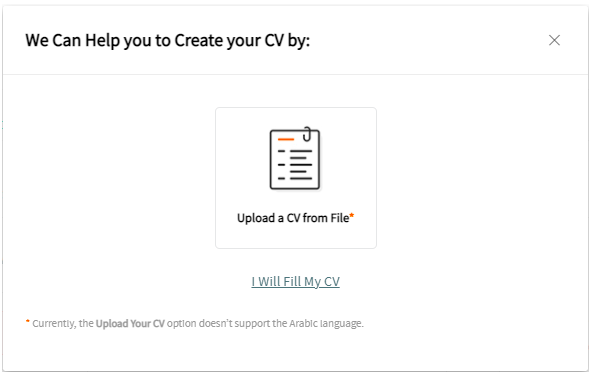
And filling the CV manually will redirect you to the CV builder to complete the sections.