The Sourced Candidates functionality is meant to help the employer’s experience by optimizing the process of adding potential candidates.
How does sourcing affect recruiting and searching for candidates?
- Build talent pipelines to cover current and future hiring needs by adding candidates instantly to the career portal.
- Reduce time to process the candidate, as you can add the candidate’s profile on the spot to the system.
Using this option, the employer can add CVs for candidates by uploading them, adding some necessary information like First Name/ Last Name, etc., and invite them to complete his/ her profile.
How to Add Sourced Candidate ?
Sourced Candidate enables the employer to add CVs to the career portal.
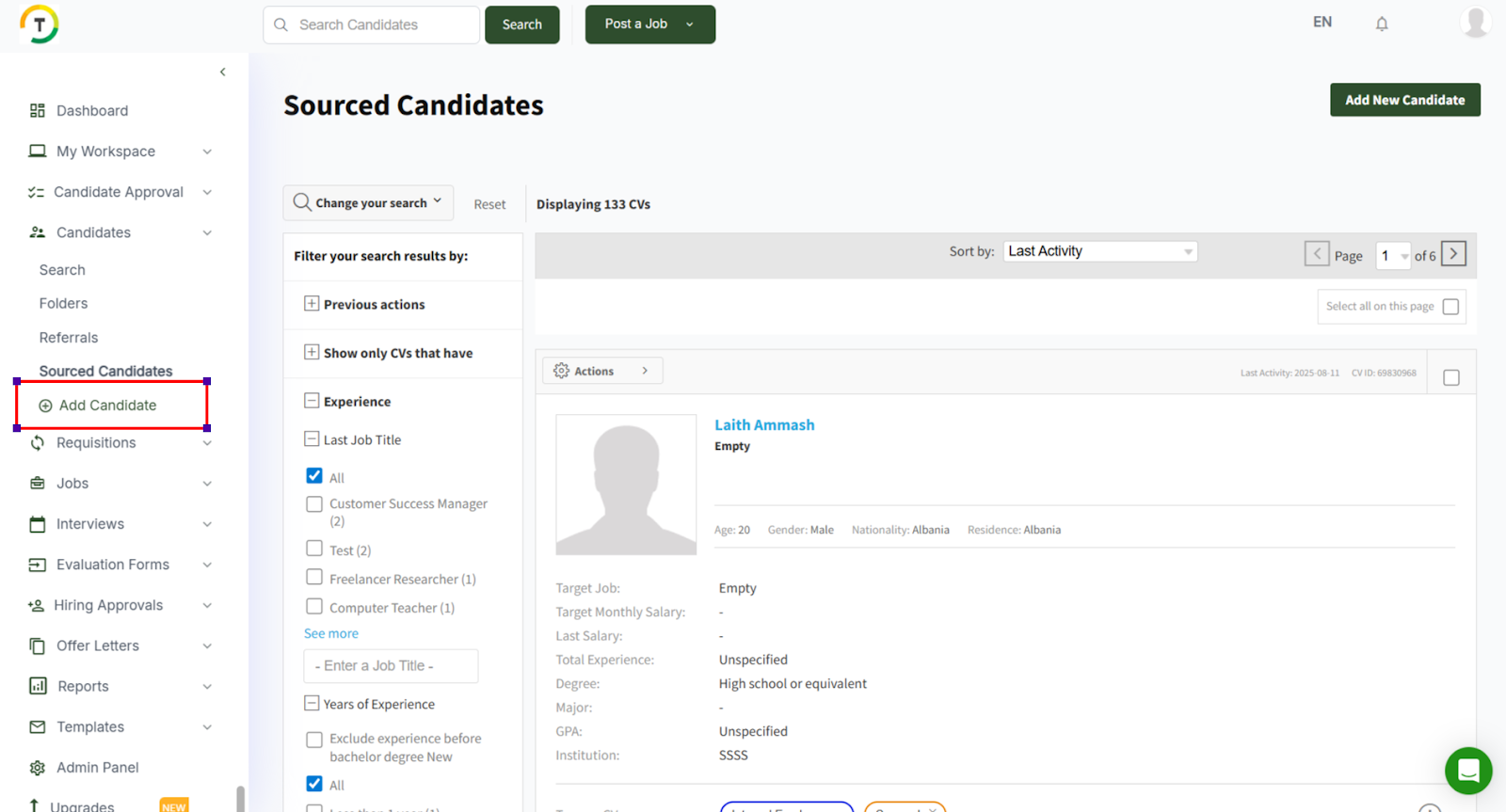
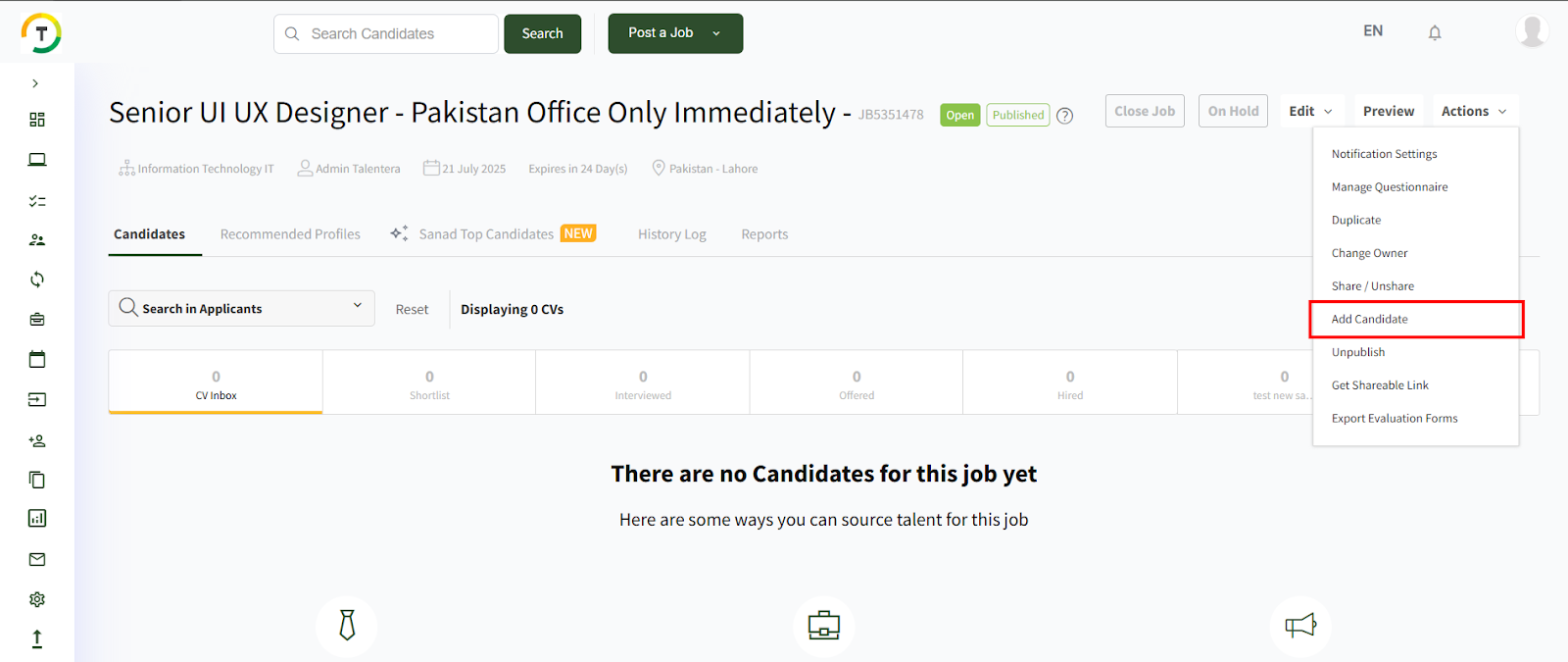
You can either click on the Add Candidate option on the navigation bar or click on the Sourced Candidates tab. Then, press the Add Candidate button on the top right side of the page.
There are three options for adding a sourced candidate:
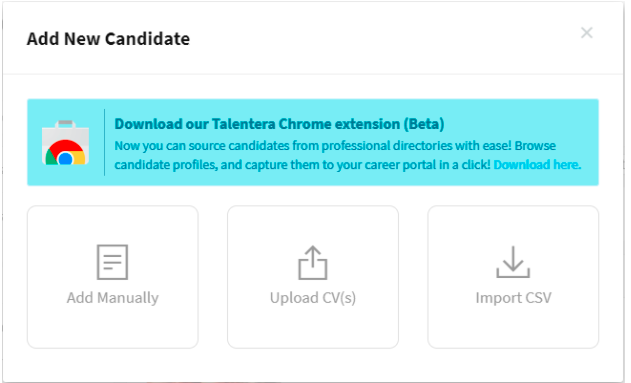
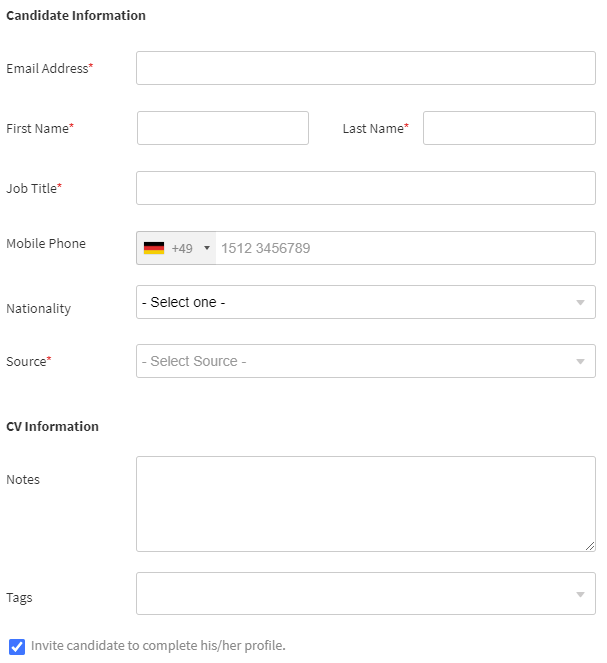
- Add Manually- By filling in basic information (Email Address, First Name, Last Name, Job Title, Mobile Phone, Source, Nationality, Notes, and Tags) and adding the candidate to the career portal.
- Upload CV(s) - This option allows the employer to upload CVs and import them into the system. All data will be extracted and added to the CV.

The employer will also have the option to add more than one CV by browsing other CVs and adding them.
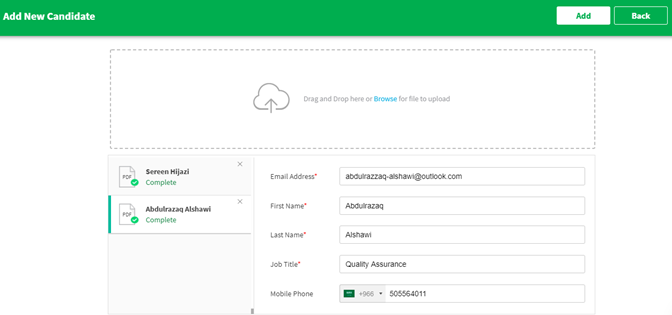
The basic information will be extracted and pre-filled into the modal. The employer will also have the option to invite the candidate to complete his/ her profile.
In case the CV already exists in the career portal, the employer will be notified when uploading the file, and he/ she can access it by clicking on the View CV link.

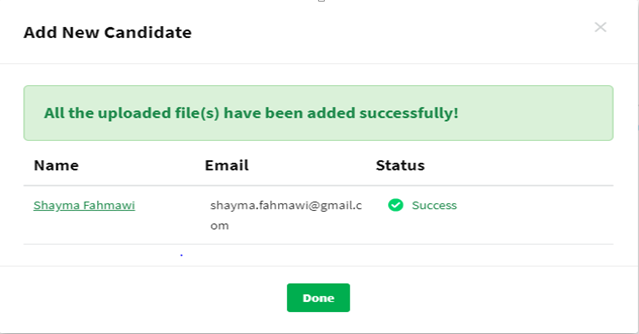
After uploading, the CV will appear in the sourced candidates tab. Employers can then view it by clicking on the candidate's name within the success notification modal.
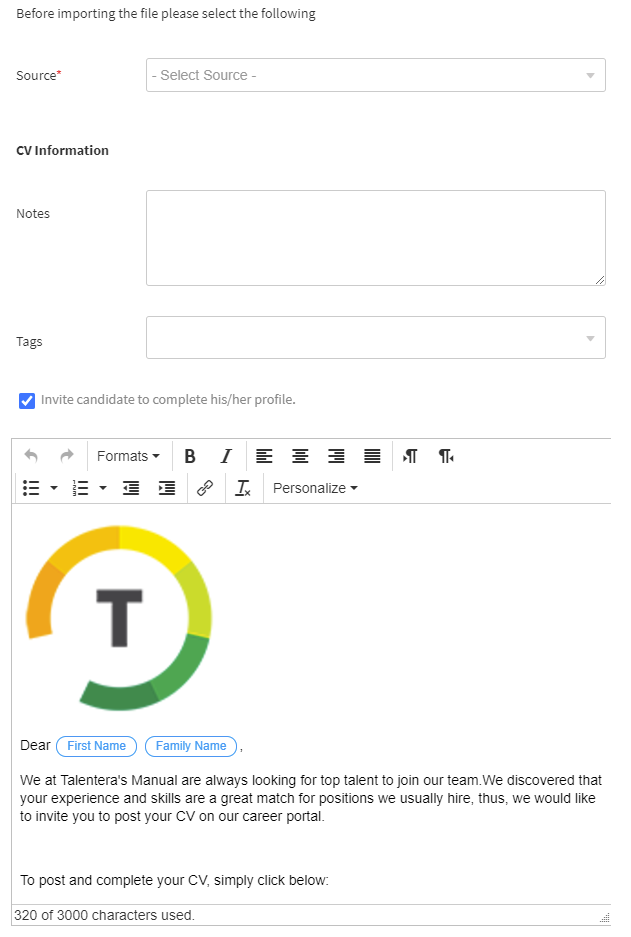
- Import CSV- This option allows the employer to import a CSV file with more than 500 profiles to add them into the career portal all at once.The employer must fill in the source and notes if needed. They can also customize the email sent to the candidate once the profiles are added.
The employer has to download the template file, add the required information, and then upload it again.
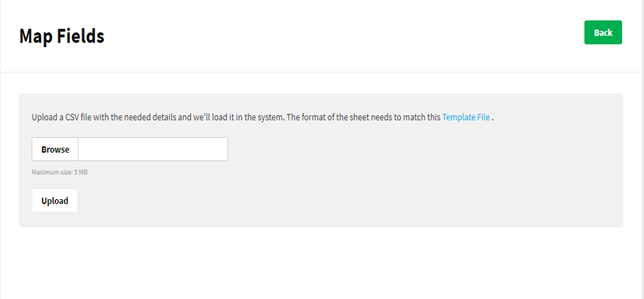
The template file contains Email Address, First Name/ Last Name, Job Title, and Phone Number columns.

After uploading the CSV file, the employer has to map the values in the CSV file with the system fields.

And when the file is uploaded, all imported CVs will be listed with a success message.

How to recognize Sourced CVs
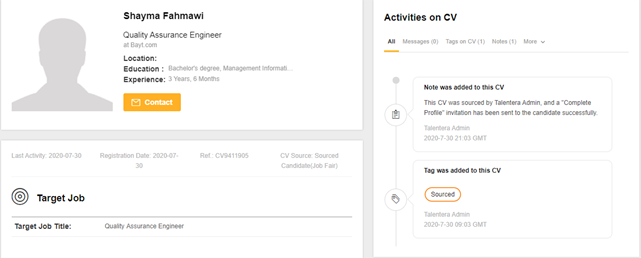
- System tag: a “Sourced” tag will be added to the CV.
- System note: a system note will also be added with the employer’s name who added the CV.
- CV Source is sourced candidate.
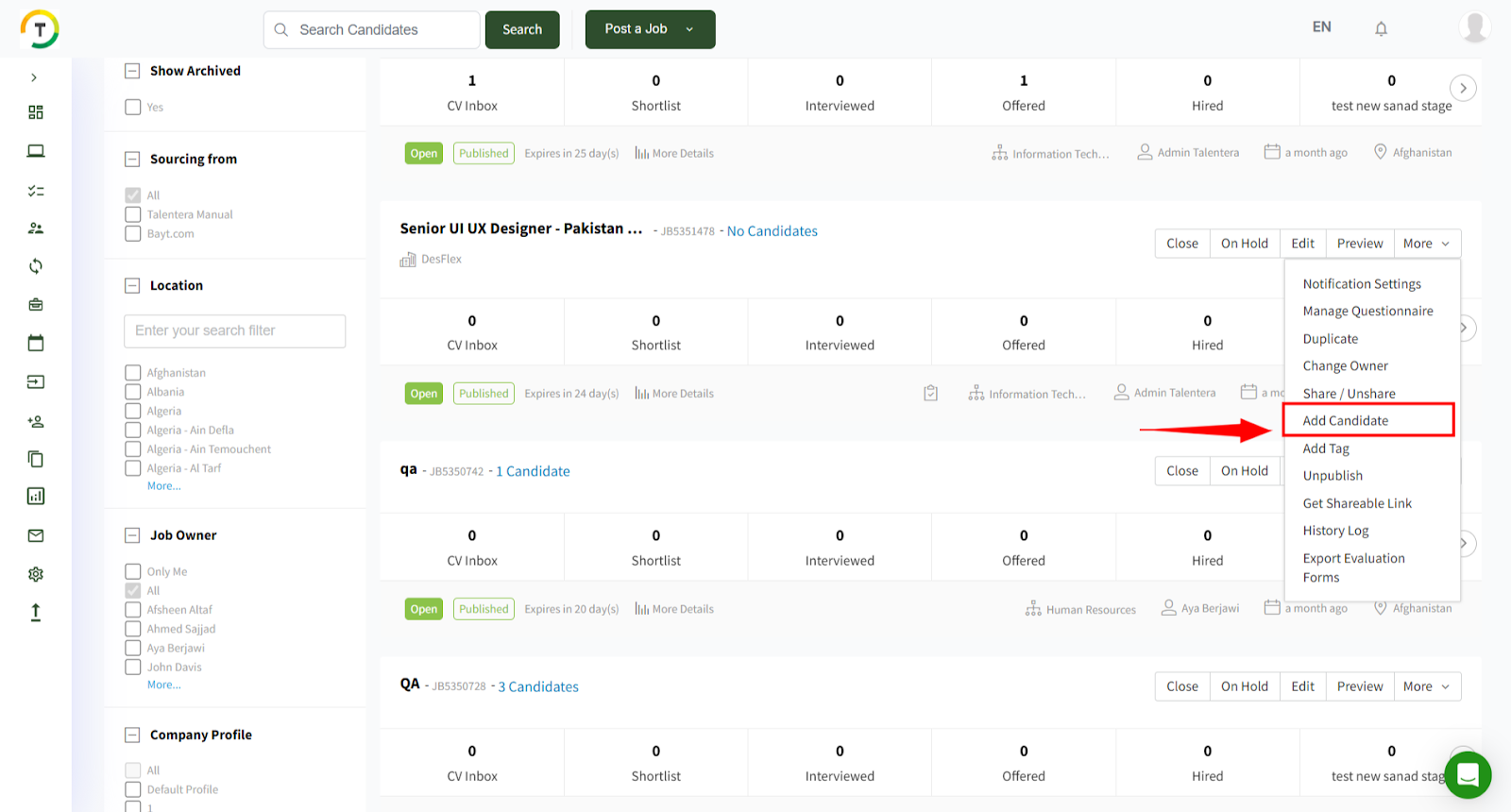
The employer can also add sourced candidates to any job directly.
- My Jobs page: by clicking on more options, then Add New Candidate.
- Job’s Dashboard: by clicking on actions, then Add New Candidate.