Evaluation forms are commonly used to help employers assess and evaluate the candidates. They come in handy, particularly during the interview process, to shortlist candidates based on their skills, personality, views, and performance.
How to create an evaluation form?
- On the candidate page, click on the icon shown below:

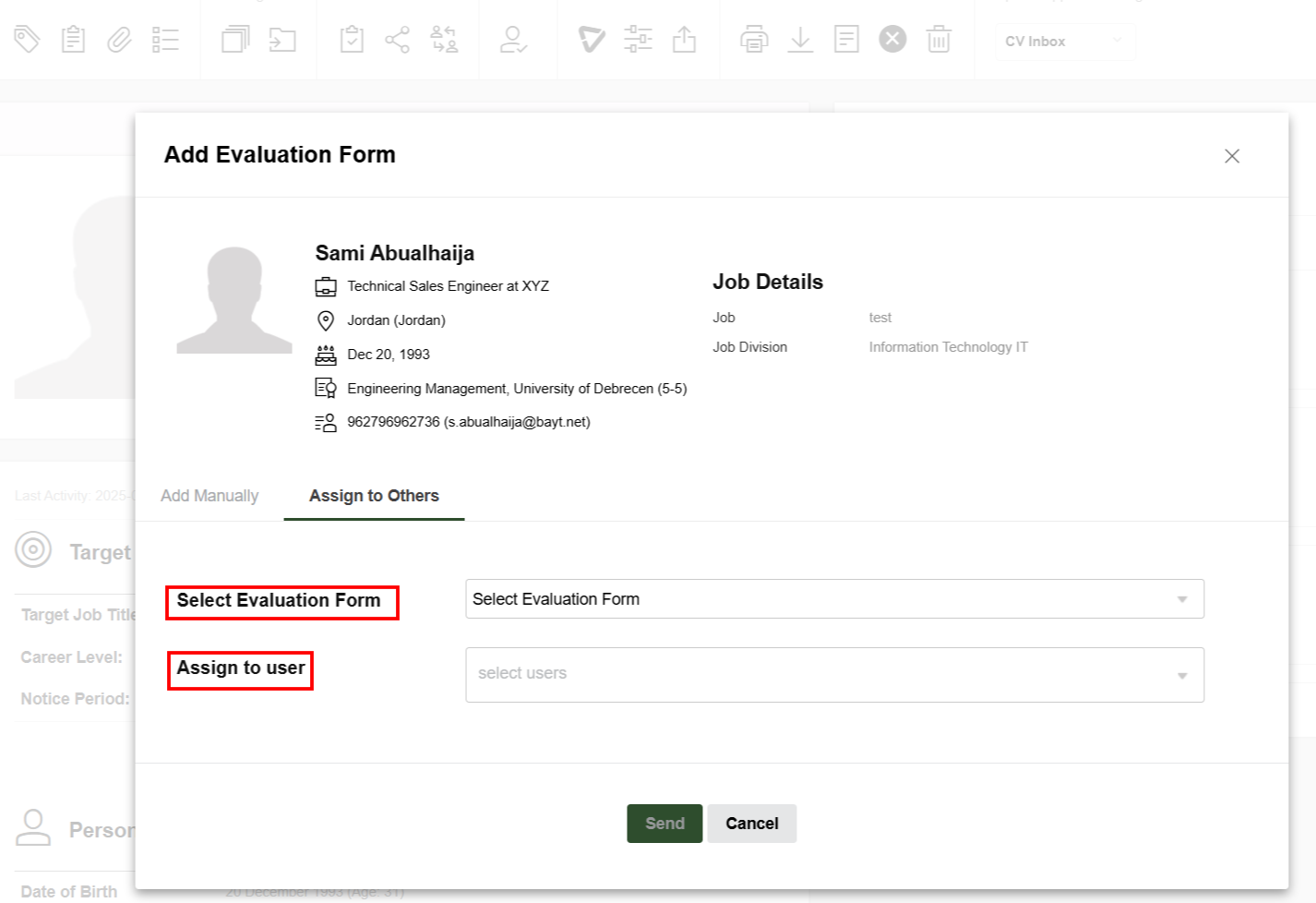
- There are 2 options for assigning the evaluation forms, to either fill it manually or to assign it to another user:
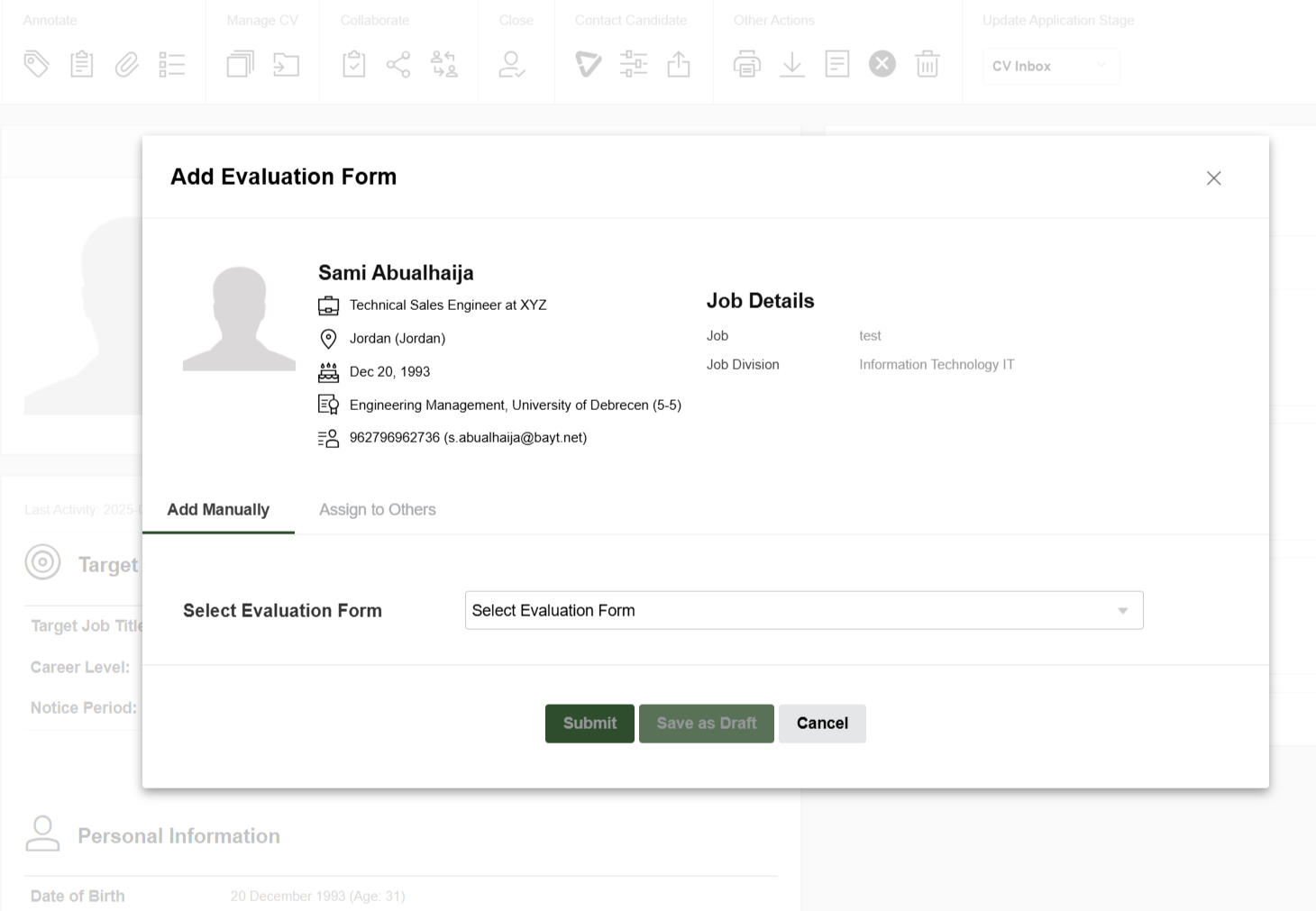
- After choosing the evaluation form needed, you can start filling it:
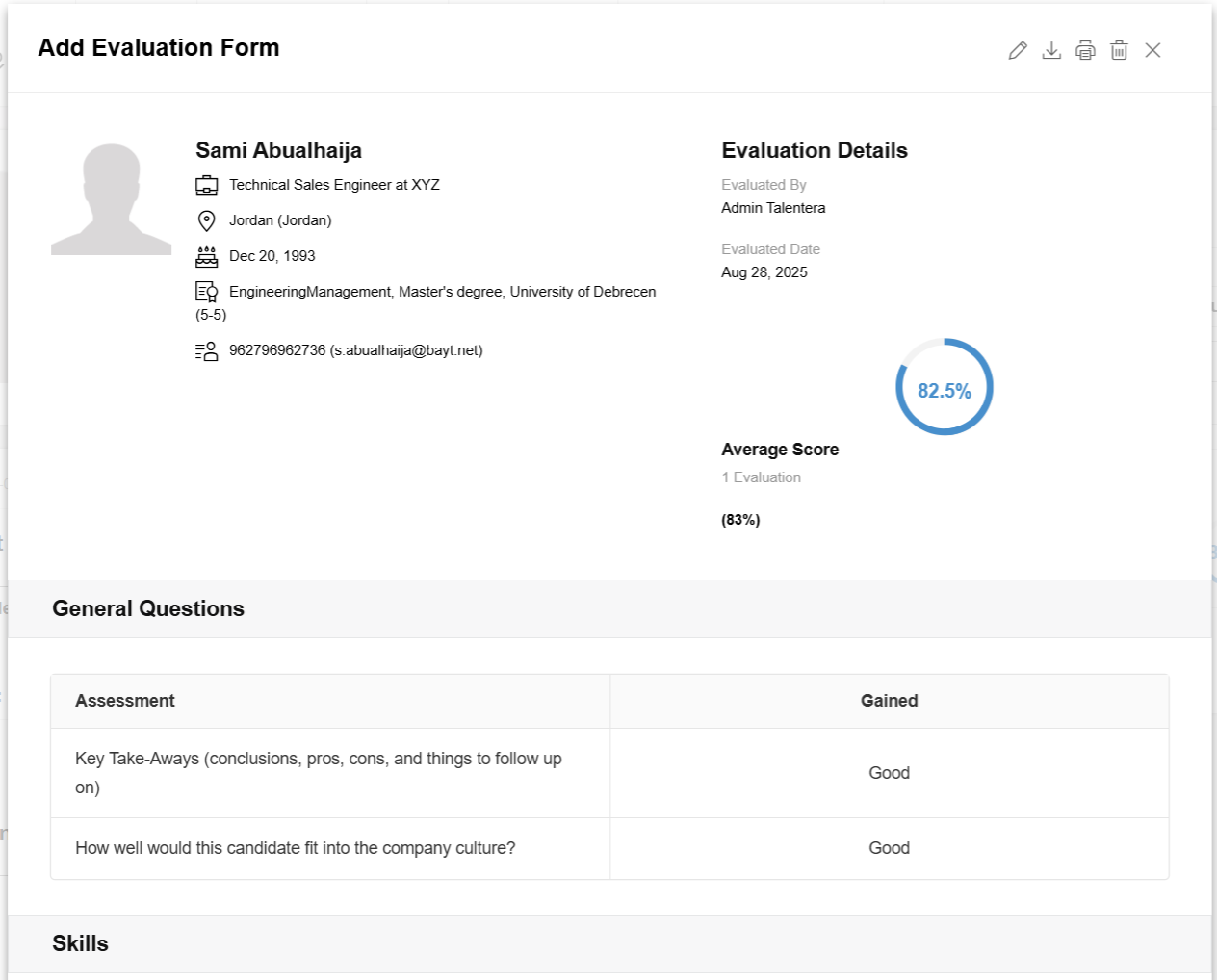
- After filling the evaluation form and clicking on “Submit”, the below window will appear with the score of the evaluation.
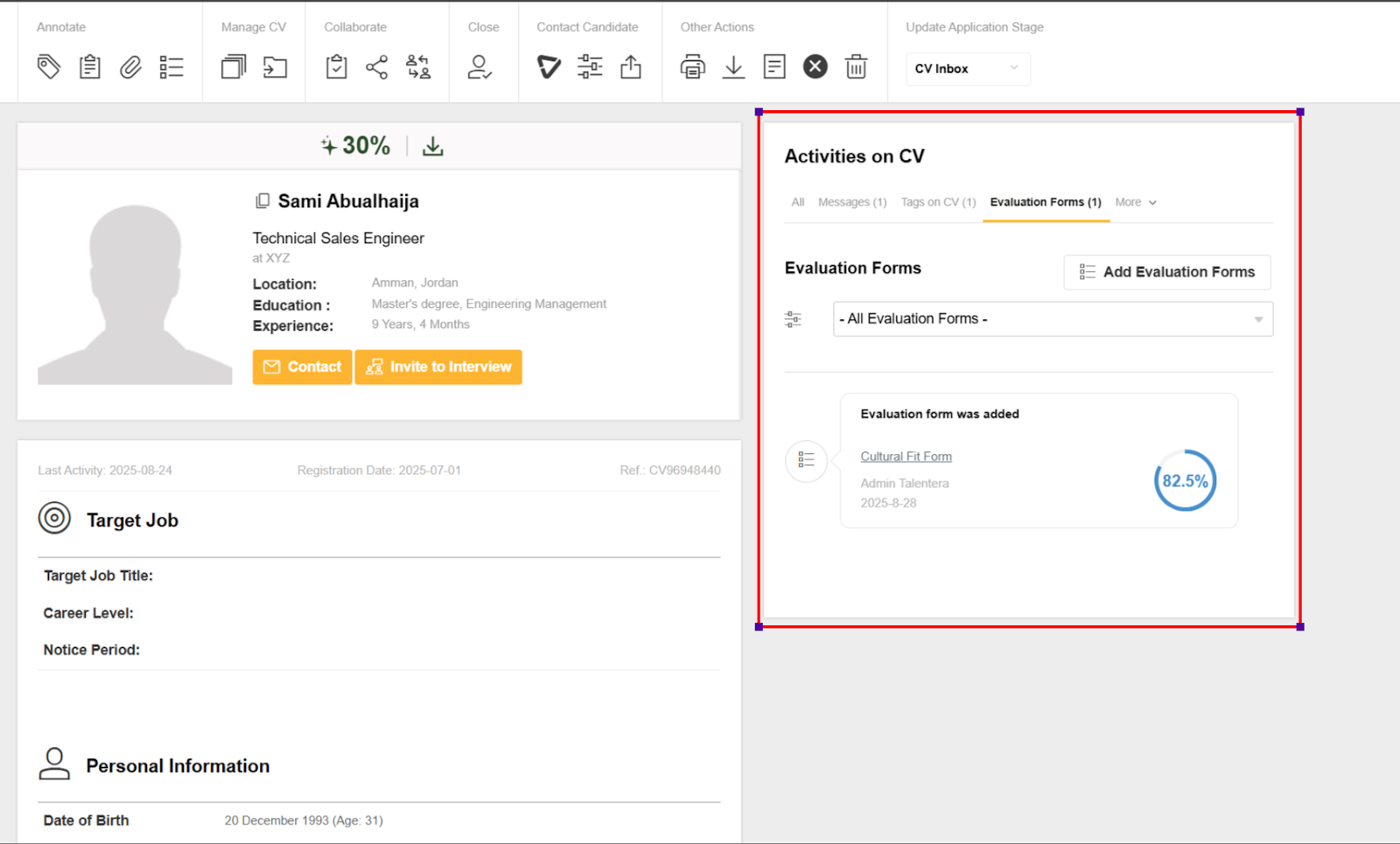
- All filled evaluation forms will appear on the candidate page on a section called “Activities on CV” as shown below:
Requested Forms
This page contains three tabs:
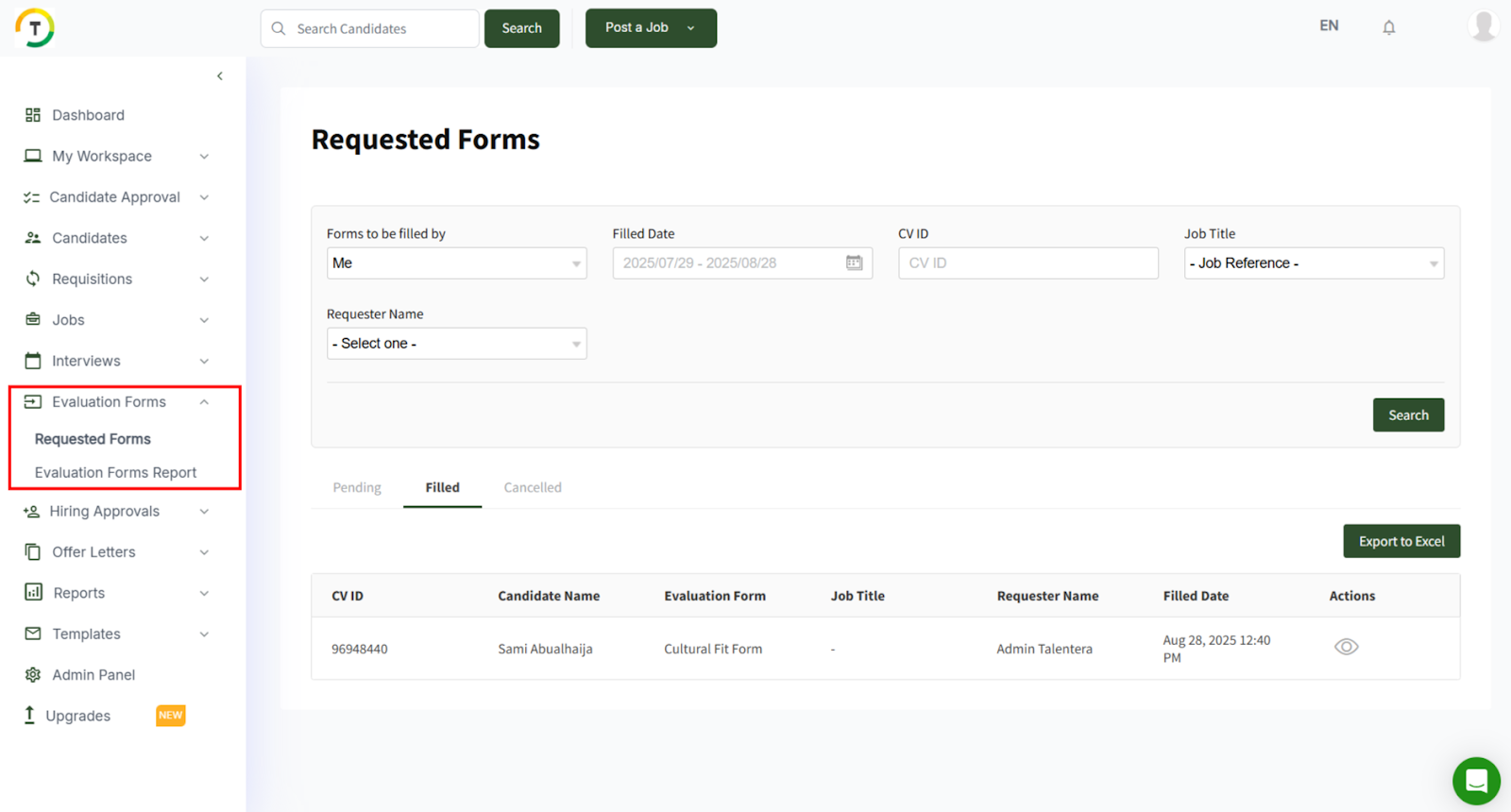
- Pending- This tab contains the requested forms that should be filled by the logged-in employer.
- Filled- This tab contains the filled forms with the action to view the form.
- Cancelled- This tab contains the cancelled forms that are no longer needed to be filled.
You can search by CV ID, To Be Filled By Whom, Job Title, Requested Date, Filled Date, and Requester Name. You can also export the results by clicking on “Export to Excel”.
The page also contains the forms assigned by the logged-in employer to other employers in the system.
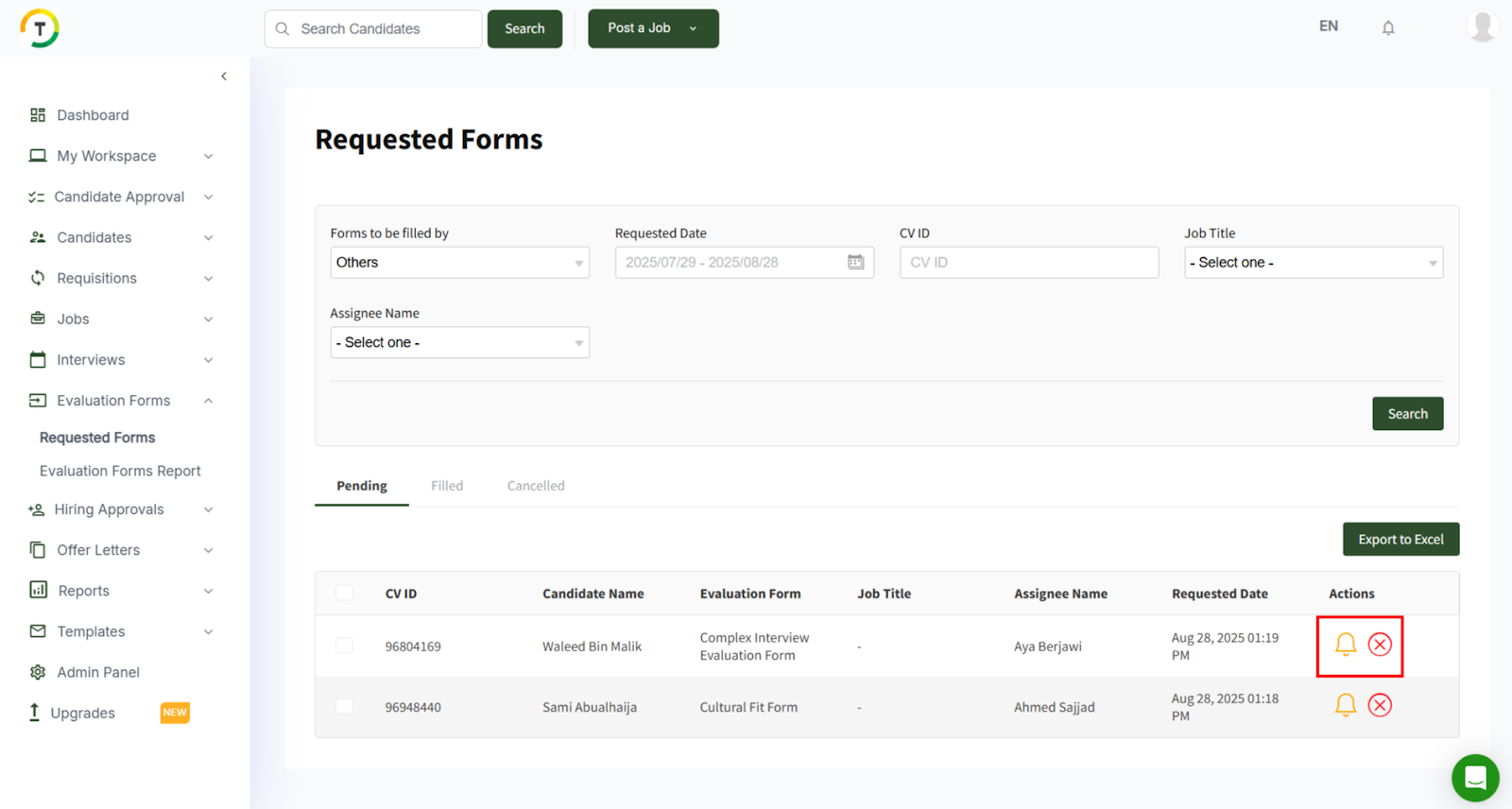
There are 2 actions that can be taken on the pending evaluation forms:
- Remind the assigned users to fill the evaluation form.
- Cancel the evaluation form.
After filling in the form, it will be moved under the “Filled” tab with the view option.
Evaluation Forms Report
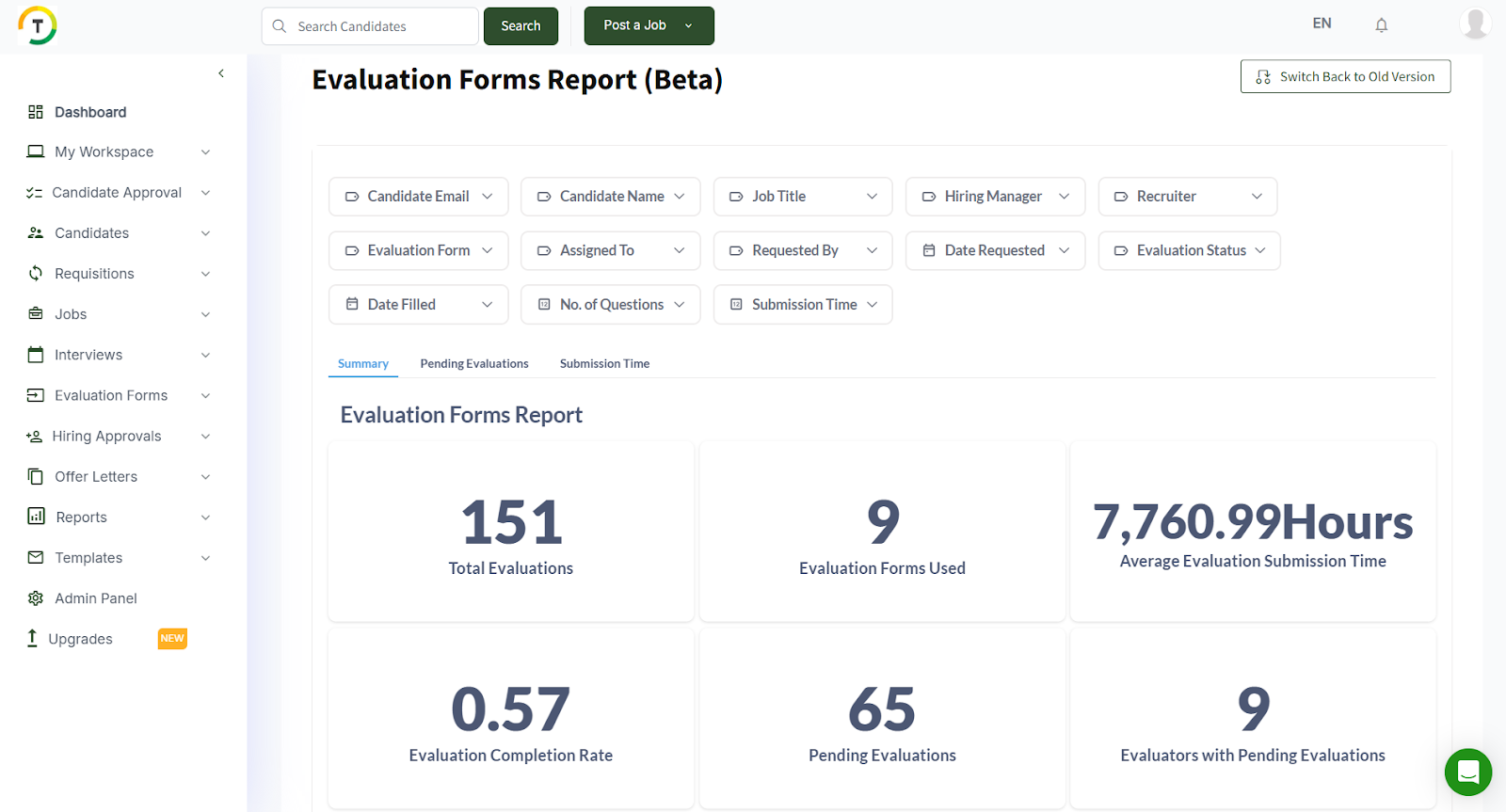
This page is for displaying and all the evaluation forms on the career portal.
You can search the results by Candidate Email, Candidate Name, Job Title, Date Requested, Assignee Name and status, etc. (Please refer back to the reports section for further details)
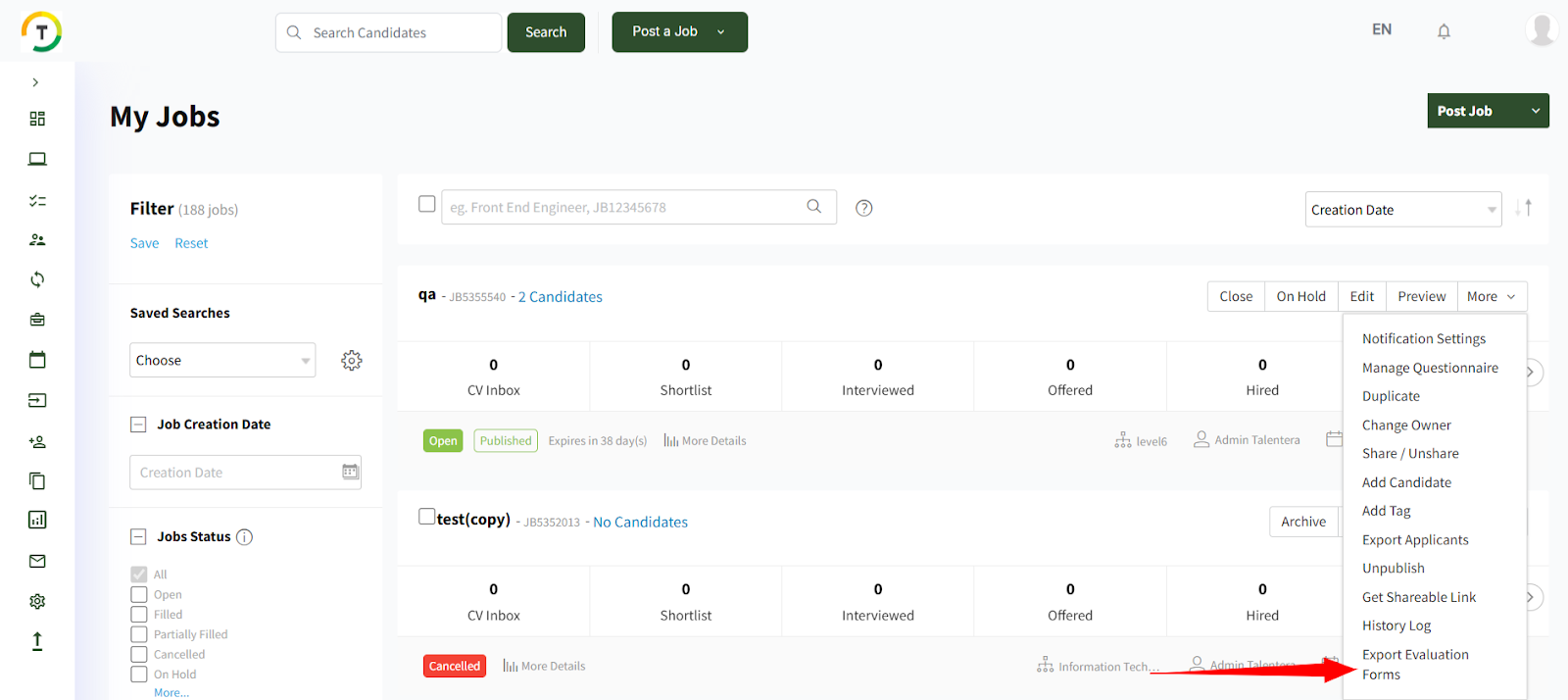
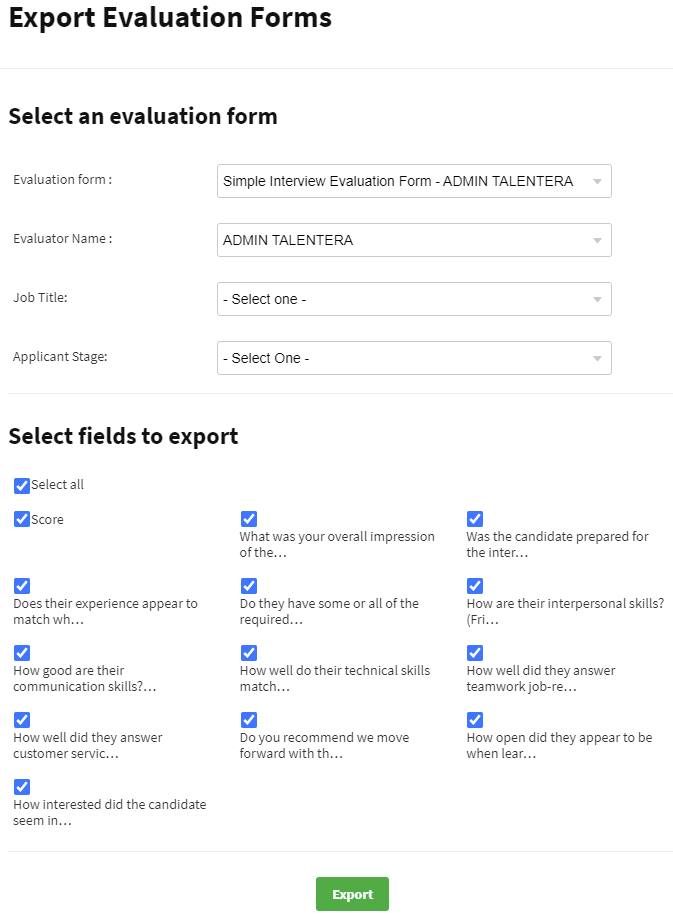
Export Evaluation Forms
The selected evaluation form can be exported for a specific job or all jobs, for a specific stage or all application stages. Furthermore, the employer can specify the columns available in the selected evaluation form that they want to export and it will be downloaded in Excel format.